
Extracting and visualizing `verywise` results
Serena Defina
2026-08-27
Source:vignettes/articles/05-visualize-results.Rmd
05-visualize-results.RmdAll done with the analyses? That was a handful, you must be hungry for some brain maps.
There are two main ways to inspect and visualize
verywise results:
- directly in R, using
verywiseplotting and extraction functions - in your browser, using the
verywiseWIZardweb application
Visualizing results
verywiseWIZard: interactive visualization app
To inspect and plot your results, you can use our interactive web application, verywiseWIZard. You can run this locally or try it out here.
Note: if you are using the online version of the WIZard, with results
hosted on GitHub, you may want to look into the
move_result_files() helper function, to organize your
results in a way that is efficient to upload and safe (i.e., does not
expose individual level data) and quick.
Plotting directly in verywise
If you are in no mood to move or upload results around, you can just
stay where you are and use generate plots directly from R using
verywise.
Note however that these plotting functions rely on Python-based
surface visualization under the hood, so you will need
reticulate installed and Python installed.
The main plotting helpers are:
-
plot_vw_map()for plotting (thresholded) beta/coefficient maps (more info below) -
plot_vw_diff()for plotting a difference between two brain surface maps. You can use this to check whether two terms have similar spatial mapping for example, or to compare the fit of two models (see the model comparison article). -
plot_vw_surf()a more flexible / customizable lower-level function, if you want more direct control over what gets plotted and how.
You can use these functions in R, but they are Python wrappers, so
they will require the reticulate package installed.
The most common function used is plot_vw_map(). It takes
a verywise results directory, locates the coefficient map
for a term of interest, optionally applies a threshold, and renders the
result on a brain surface either interactively (HTML) or as a PNG.
plot_vw_map(
  res_dir = "/path/to/output",
  term = "age",
  measure = "area",
  hemi = "both",                # (default) or "lh", "rh" for single hemisphere
  surface = "pial",             # or "inflated"
  threshold = "fdr<0.05",
  to_file = NULL,               # interactive visualization or static output
  # --- optional arguments ---
  title = "Effect of age on Surface Area",
  fs_template = "fsaverage",
  fs_home = "/path/to/FREESURFER_HOME", # uses local maps which is quicker than downloading and caching
  # outline_rois = c("entorhinal", "precuneus") # TODO: not yet available (coming!)
)
The threshold argument controls which parts of the beta
map are shown. Common choices include:
-
"cws": cluster-wise significant vertices (default), assuming cluster correction was computed during the analysis. -
"fdr<0.05": an FDR-corrected significance level, assuming FDR-adjusted p-values were calculated at the analysis stage. Note, use whatever threshold you like (e.g."fdr<0.001"), we’ll do the rest. -
A numeric value, e.g.
0.001: interpreted as a raw coefficient (absolute) threshold
In practice, "cws" is often the most interpretable
option for final figures, while numeric thresholds can be useful during
early exploration.
When to_file = NULL (the default), verywise
will open an interactive 3D brain visualization in the RStudio Viewer or
in your default browser. You can then play with this, rotate the brains,
zoom in certain regions, and when you hover over the map, get
information about each vertex value and the DK region it is in.
This can be saved as an HTML file, but often, for manuscripts,
reports, or slide decks, you may prefer a “static” image. In that case,
provide a file path to to_file, for example:`to_file =
path/to/figures/age_area_cws.png`
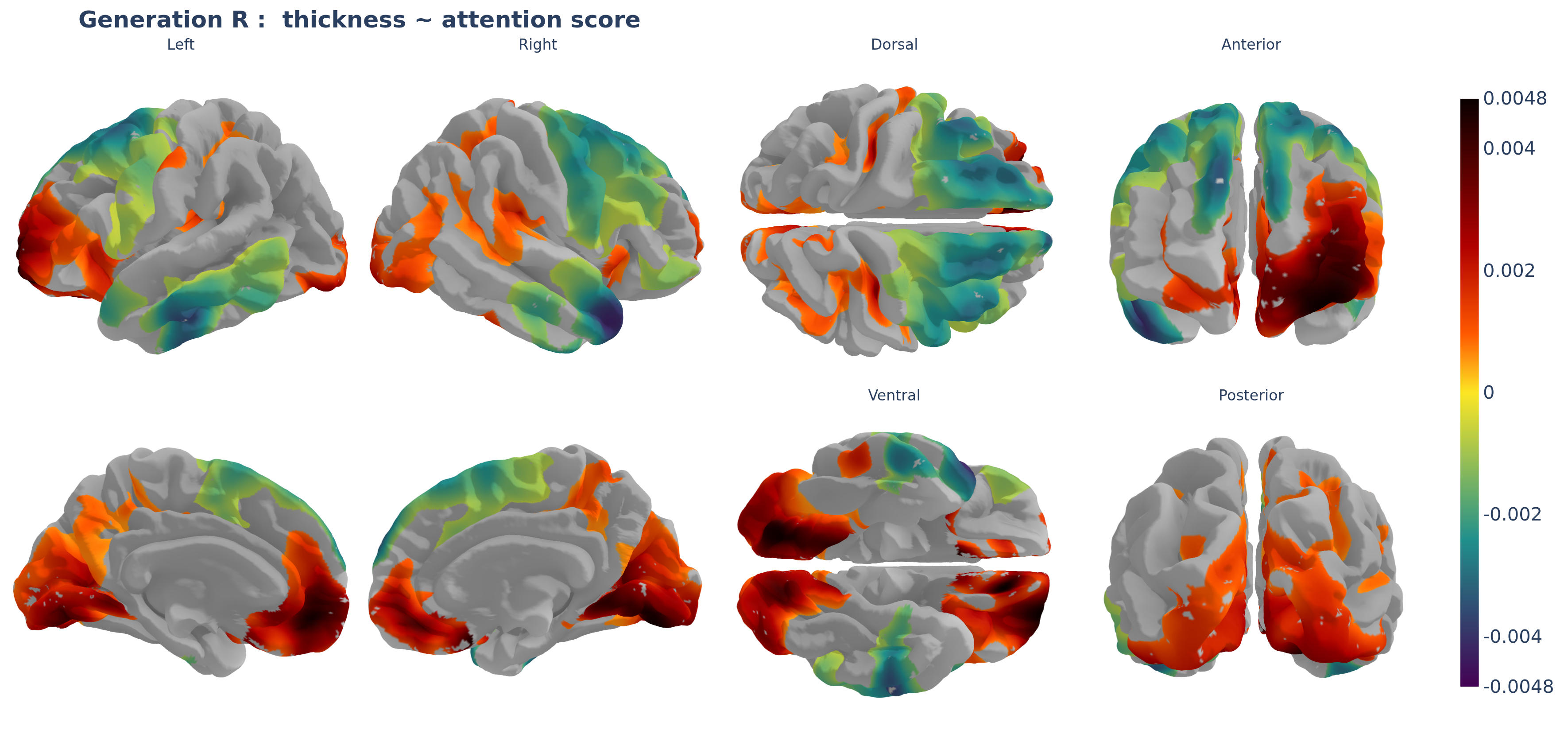
This produces a static image in which all views of the brain are visible at once, which is usually easier to share and reproduce.
Plotting on an HCP cluster
If you want to render plots directly on an HPC cluster
(e.g. Snellius), this is possible but you will need a working browser
backend such as Chrome or Chromium (kaleido default works well) and and
a virtual display such as Xvfb.
You will have to set up an Xvfb process before starting R (e.g. in your job script or in the shell before launching R). For example, on Snellius, I do:
module load 2025
module load Xvfb/21.1.18-GCCcore-14.2.0

Xvfb :99 -screen 0 1280x1024x24 &
export DISPLAY=:99
sleep 1  # give Xvfb time to start
For troubleshooting, you can use the helper
plot_sitrep().
Extracting mean/median cluster values
Sometimes, you may want to extract the mean or the median value of a
specific cluster from your results, for example to use this in further
analysis. You can do this in verywise using the
significant_cluster_stats() function.
Note: ideally, you should run your analyses with
save_ss = TRUE or save_ss = "path/to/ss", or
you have called build_supersubject() in your pipeline, for
this to sun smoothly.
# Extract mean from significant clusters
df <- significant_cluster_stats(stat = "mean", # or "median"
                                ss_dir = "path/to/ss_directory",
                                res_dir = "path/to/results",
                                term = "age", # term of interest
                                measure = "thickness",
                                hemi = "lh")
Next article: Run vertex-wise federated / meta- analyses